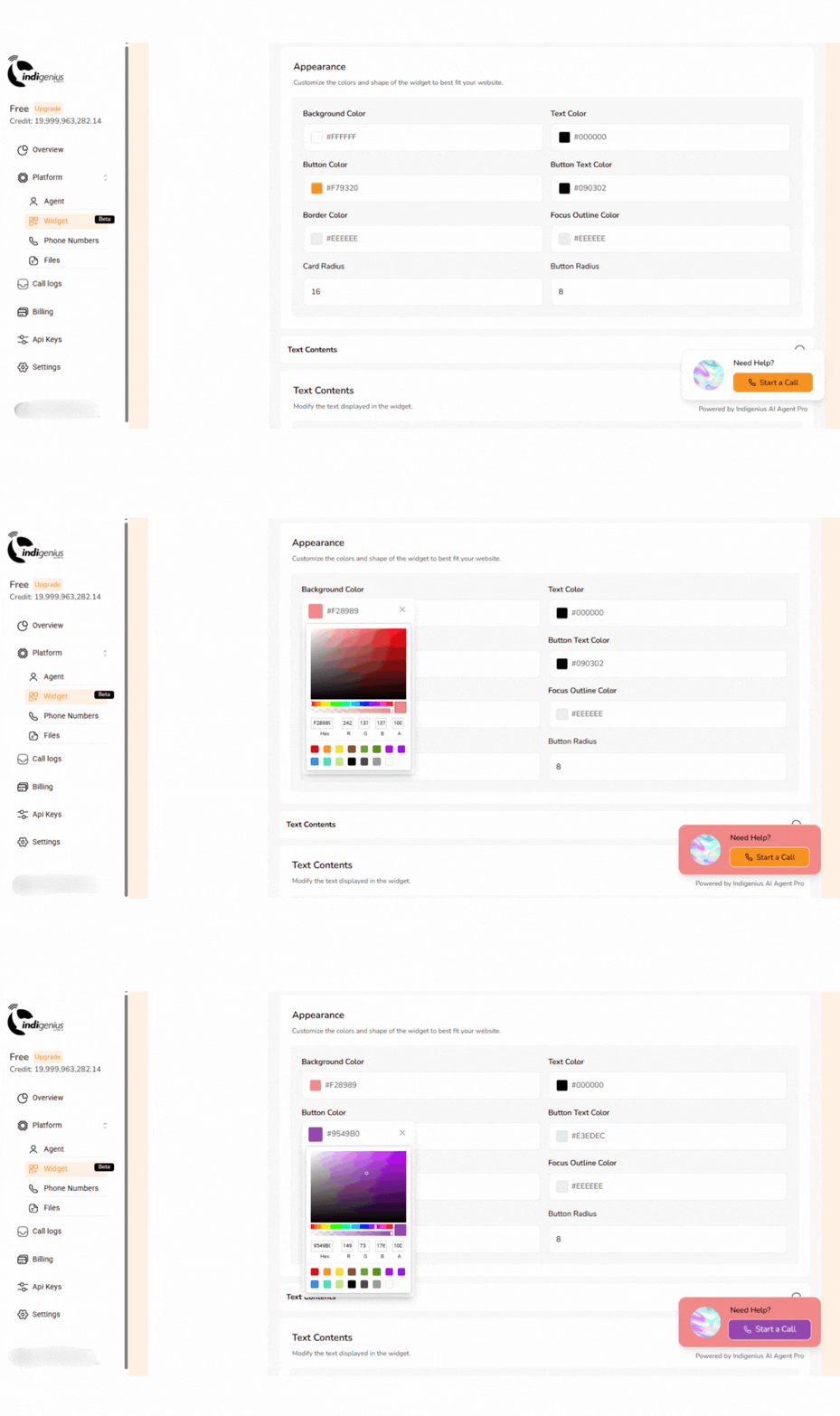
This powerful tool lets your visitors engage directly with a voice agent, offering a smooth, inclusive, and intuitive way to connect with your service. With just a simple integration, you can elevate user experience and support accessibility effortlessly.Documentation Index
Fetch the complete documentation index at: https://cdialai-0073e50a.mintlify.app/llms.txt
Use this file to discover all available pages before exploring further.
Steps for Installation
1. Create an Agent
From your Indigenius dashboard, create a new agent or select an existing agent and assign it as the agent for your widget.2. Insert URLs and Domains
Insert the URL(s) or domain(s) where you want your widget to appear, then save.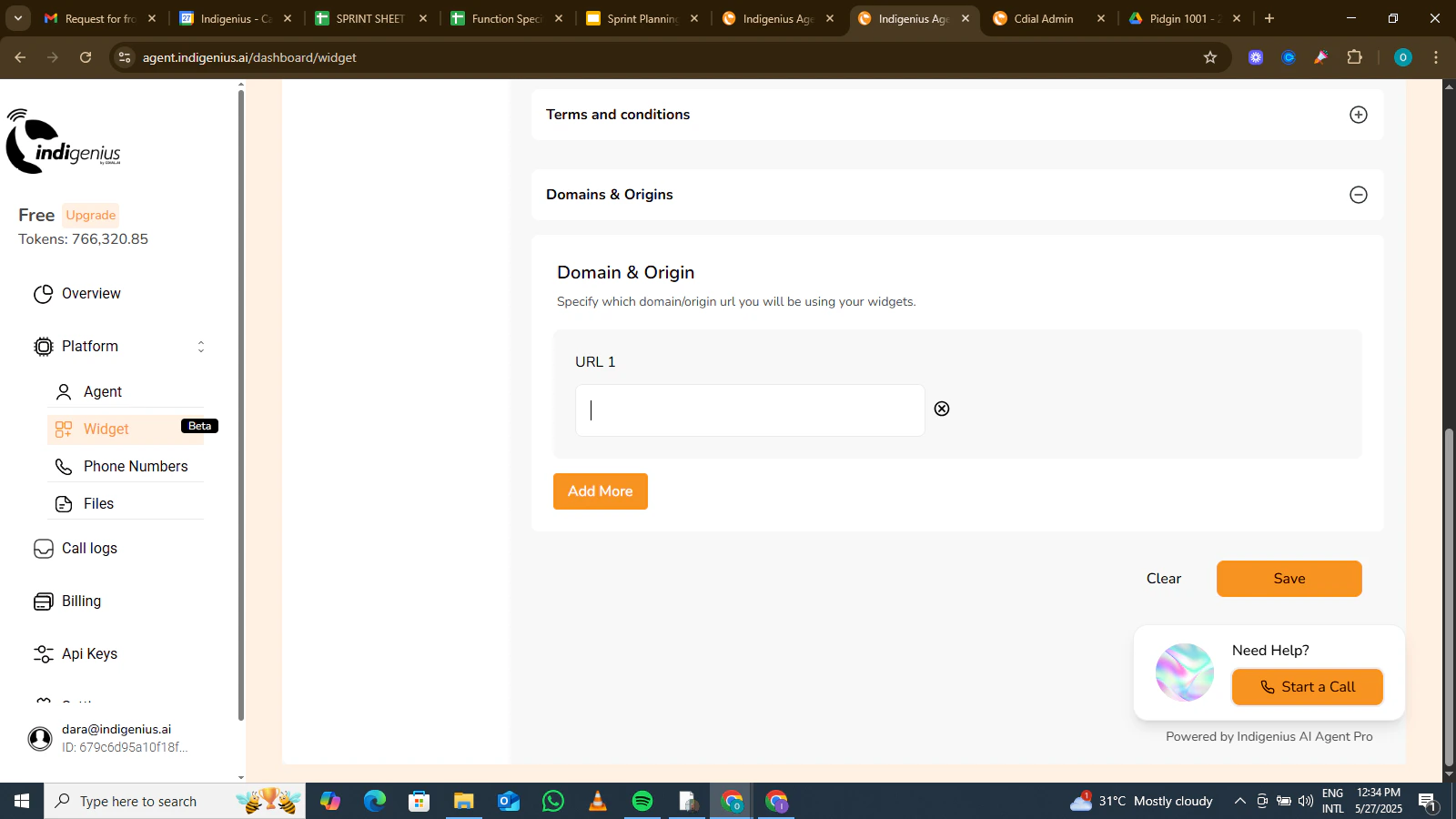
3. Insert the Widget Embed Code
Copy the embed code below and insert it into your website’s HTML.Ideally, it should be placed before the closing
</body> tag.
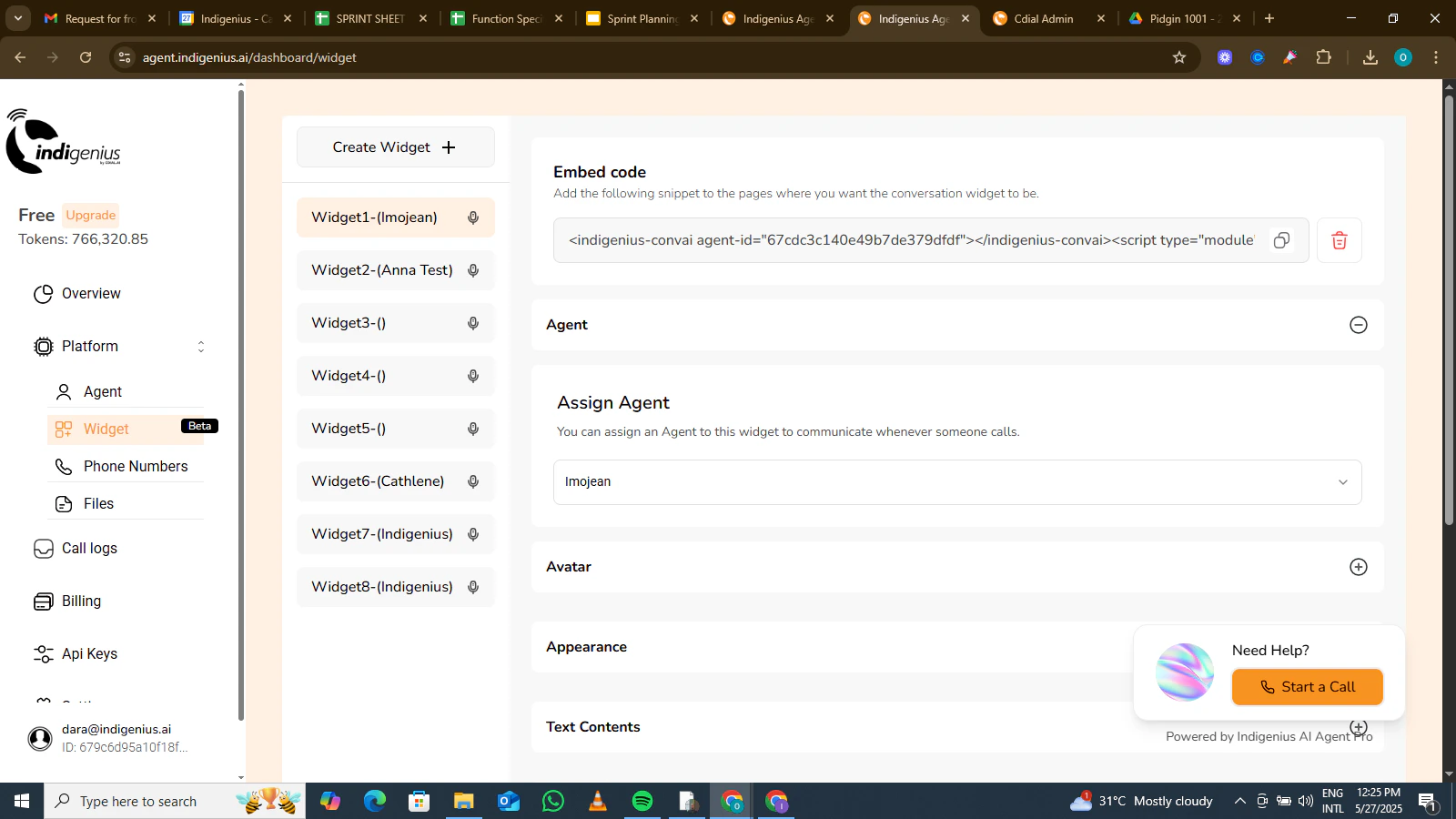
4. Customization
Now you can customize the appearance of your widget to fit the template of your website or application.